AnyPS5-ARM · Mac
The PS5 home screen,
on your Mac.
Point AnyPS5.app at the folder with your game dumps and it does the rest: it finds the games, unlocks them for the Mac, starts them, and keeps your controls, saves and trophies per game. No Terminal, no build, no Vulkan SDK.

- 120 fps
- Silksong on an M3 Pro, playable
- 0 bytes
- extra disk for an unlocked game
- 4
- players: phones and controllers
01The engine
Not an emulator.
AnyPS5's relinker turns a PS5 game's program into a native Mac executable, linked against system libraries written from scratch. The game's x86-64 code runs under Rosetta 2, and the PS5 graphics driver runs on Vulkan through MoltenVK, on Metal.

Relinked, not emulated
The relinker writes a Mach-O executable and macOS modules; the result is a normal .app opened from Finder.
Rosetta 2 and Metal
x86-64 code translated by Rosetta 2, graphics through MoltenVK. The first start of a title takes longest; later ones use the caches.
Engine versions
Settings holds the engine the app carries, newer ones downloaded from GitHub, or a folder of your own build. Delete the ones you don't need.
Games that play today
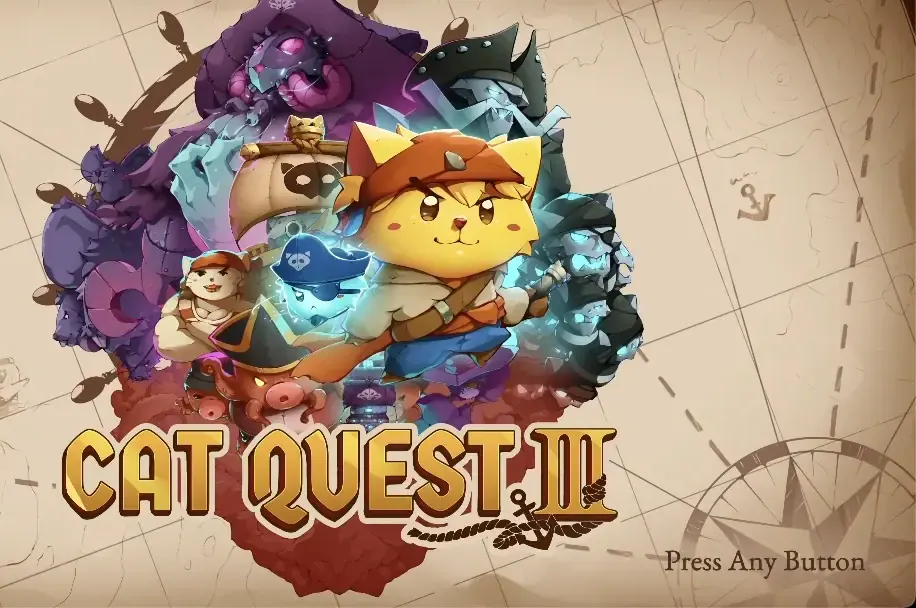
Hollow Knight: Silksong at 120 fps and Dreaming Sarah at 60 fps are playable, DOOM (homebrew) plays, Stray plays its first chapter at a low frame rate for now, Minecraft gets into a world.
The compatibility list
How far each game gets, per platform, reported by players from the launcher and kept on AnyTogether.
Auto-update
Settings → About shows Update to … when a new AnyPS5 is out: it downloads, takes its place and opens again.
02Home screen
Laid out like the console.
Every game sits in a row of tiles. The selected one grows, its artwork drifts behind the screen and its theme song plays, with the facts below: status, size, title ID and version.

Play, Unlock, Retry
The button under the title does what the game's state calls for; trophies and ⋯ sit beside it.
Library
Every game as a grid. Games you add to the folder later show up on their own.
Console controls
Arrow keys, Return (✕), Esc (○), Q and E for L1 and R1, or a game controller whose PS button brings the launcher in front of the game and back.
Mouse and trackpad
Click a tile, double-click to play, scroll through the row.
Three animated themes
Cosmic, Aurora and Sunset, an accent colour, or your own picture or looping video behind it all.
Türkçe or English
The launcher, the phone and the games' language follow your choice.
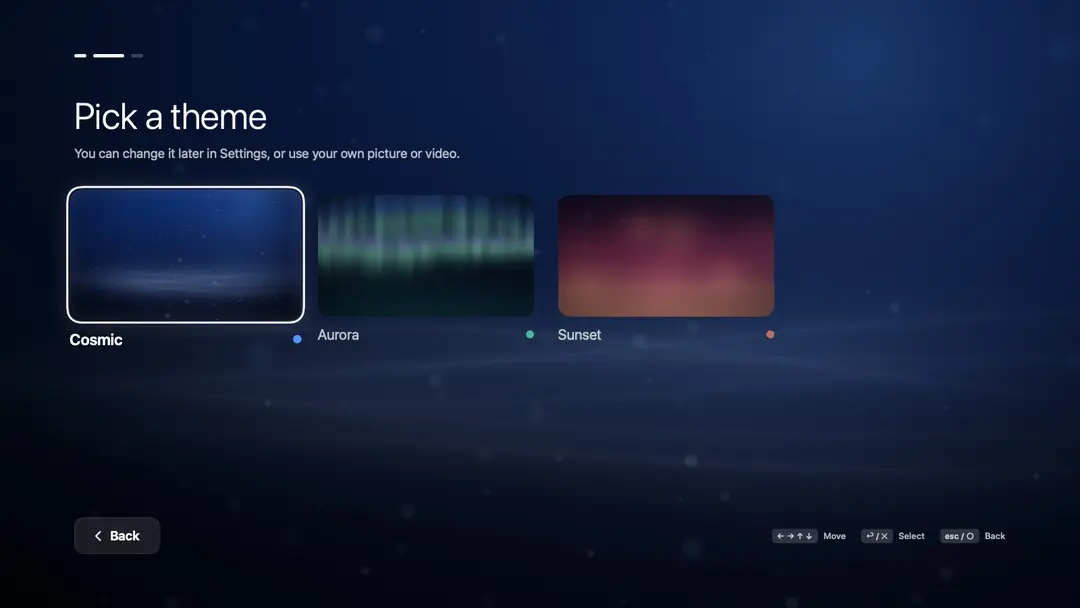
First start: a theme 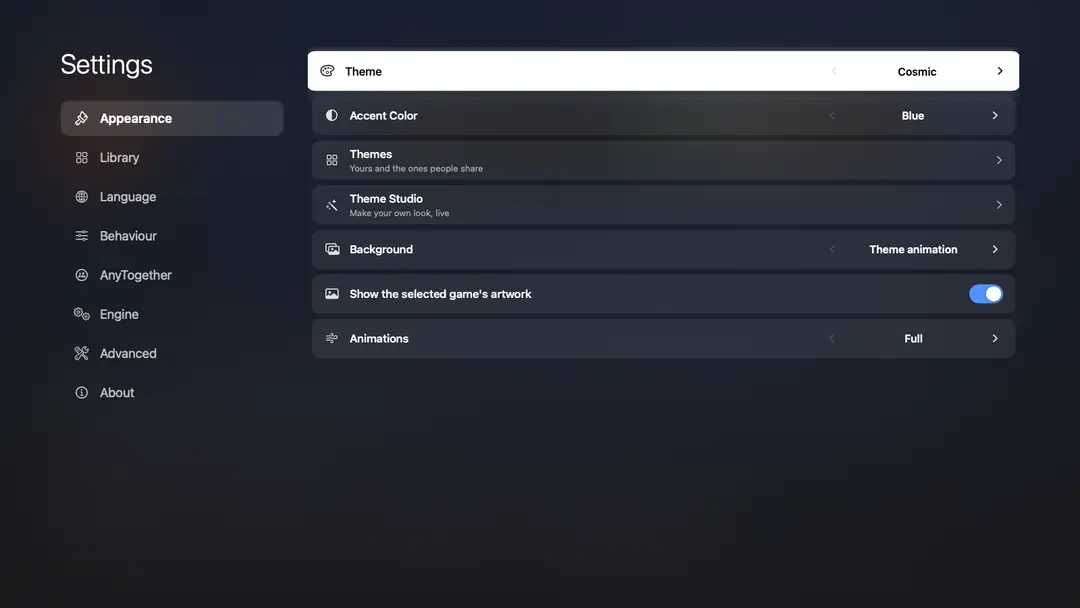
Appearance settings 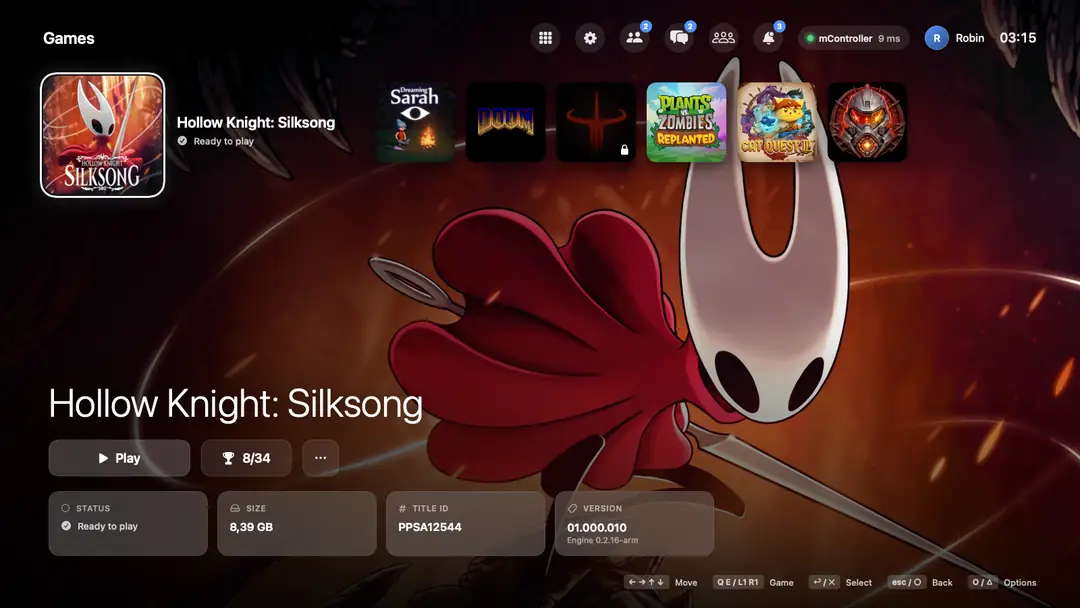
A phone connected


03Unlocking
From a dump to a Mac app, in minutes.
Unlock turns a PS5 dump into a Mac app with a progress bar like the console's. Several games can be queued.

Unwrap
eboot.bin and every module are opened, SELF containers included. A dump that is still encrypted is reported, not converted.
Relink and bundle
A Mach-O executable, macOS modules, MoltenVK, per-title patches and a launch script go into the app.
APFS clones
The game's files become clones of the dump, so an unlocked game takes no extra space.
Updates kept fresh
When the toolkit is newer, the game shows Update available; Unlock Again brings it up to date and keeps its saves and trophies.
A start screen
The game's icon and a timer until its first window appears; Esc stops it before it shows.
Plain-words errors
A missing module, an unsupported system function by name, the GPU stopping, a crash: read from the log and macOS's crash report.
04Per game
Each game keeps its own settings.
Applied at every start, from the game's ⋯ menu.

Output resolution
For titles with a resolution patch, such as Stray.
Window or full screen
And the window's size.
Vertical sync
On or off, per game.
Frame generationExperimental
A frame made between each two of the game's, so 60 fps shows 120 on a 120 Hz display. Needs vertical sync; turns itself off on a 60 Hz display or in Low Power Mode.
Performance overlay
Minimal, one line with fps, generated frames, frame time, GPU, CPU and memory; or Detailed, with the frame-time graph. In any corner.
Game language
The launcher's, or any of the console's languages.
Screenshots and clips
The game's F12 shots and clips in a grid, and one at a time over the whole screen.
Save backups
Back Up Saves and Restore Saves: saves and trophies as a zip; a restore backs up what the game had first.
Shader cache
On or off, and Clear Shader Cache when a game needs a clean start.
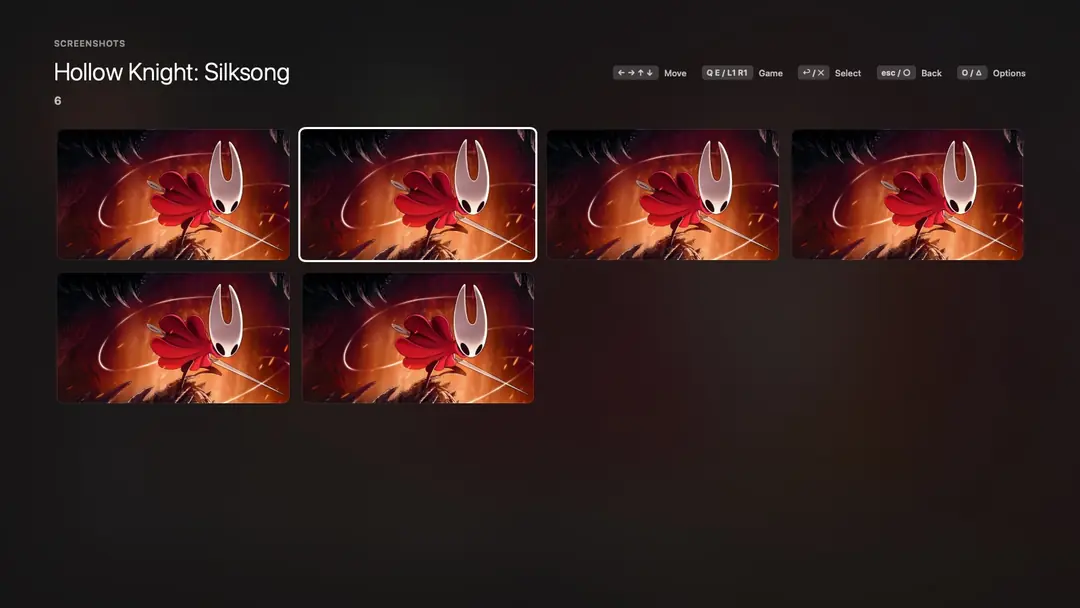
Screenshots and clips

05Controls
Keyboard, mouse, pads and phones.
Every game has its own layout. Pick a button and press the key you want; a connected controller keeps its own buttons.

What a button does
For Unreal Engine games, each button shows what the game itself does with it (Jump, Sprint), read from the game's own input settings.
Mouse as the camera
Sensitivity, vertical speed, the response curve, minimum tilt, maximum speed, smoothing and how soon the camera stops.
Stick deadzones
One per stick, to stop a drifting controller.
Keyboard feel
Slow movement, how fast a key tilts a stick, how fast a key presses L2 or R2 for racing games.
Four players
Up to four phones and the Mac's game controllers are four DualSenses for local co-op.
Share a setup
Export Settings saves a game's keys and every setting as one file; Import Settings applies one a friend shared.
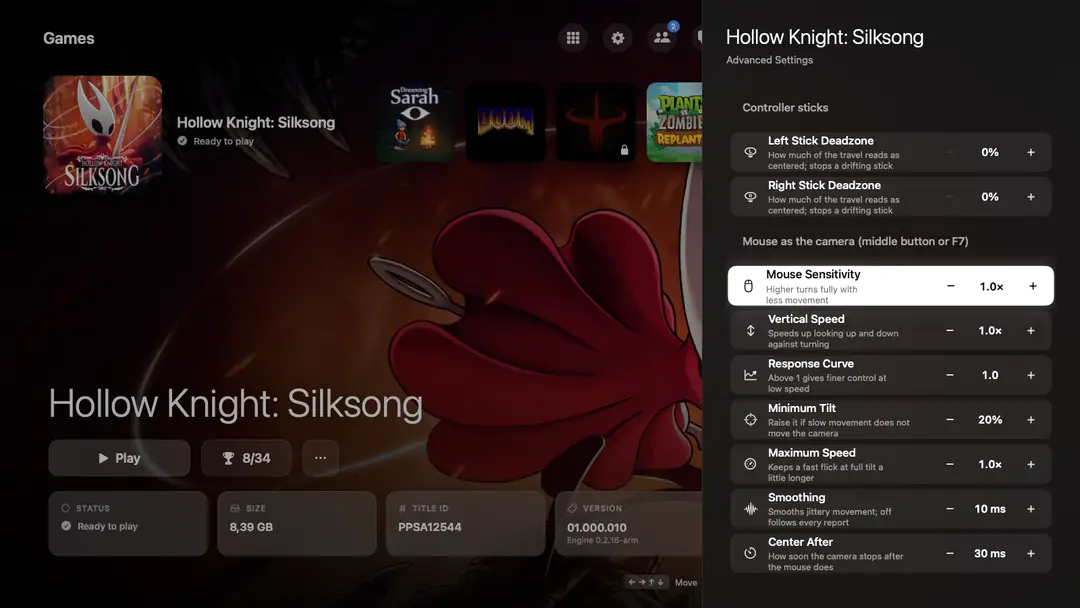
Advanced settings

06Trophies
Every trophy, as on the console.
The list, the texts and the icons come from the game's own trophy package, in the game's language when it has one.

A card over the game
The trophy's icon, name and grade with a sound, in full screen too, never taking the keyboard or mouse.
The full list
Percentage weighted by grade, platinum to bronze counts, and the day and time each was earned.
Hidden and counted
Hidden trophies stay hidden until earned; trophies that count something show how far you are, such as 23/51.
Play time
Each session is kept, and with AnyTogether goes to your profile.
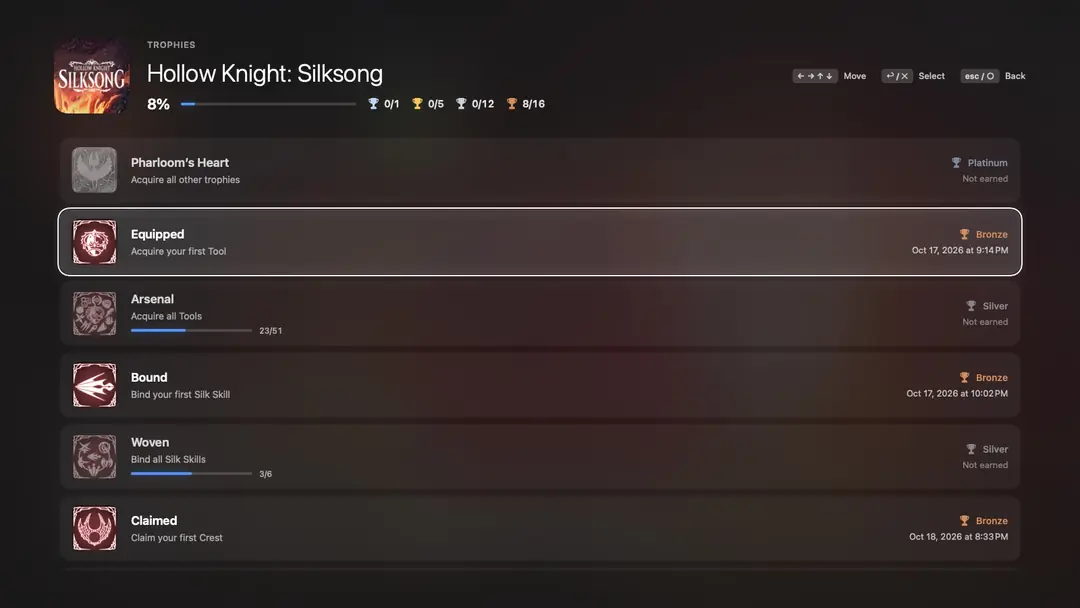
The trophy list

07The details
The things you'd miss.
Small features, each one asked for by someone who plays.

Clips
The last 15 to 120 seconds of the game, picture and sound, saved as an MP4 with Create on a DualSense, ⌥F12 or Create on the phone.
Save Sync
Saves and trophies stay the same across your Macs through iCloud Drive or any folder you choose; what is replaced is backed up first.
Theme Studio
Motion, colours, accent, a picture or video, menu music. Save it as one .anyps5theme file, or share it on the Theme Hub.
Theme Hub
Themes people share, installed with one press. The phone wears the launcher's theme too.
Discord status
The game you play shows on Discord, with or without AnyTogether.
Links
anyps5://game/<title ID> selects a game and anyps5://play/<title ID> starts it.
Crash reports
Why a game stopped, in plain words, a report to attach, detailed logging, and a pre-filled GitHub issue.
Console fonts
A folder of system fonts for games that ask for them, and your own screenshot folder.
08AnyTogether, built in
Your friends, inside the launcher.
Optional: signed out, the launcher works as before. Signed in, the top bar gets friends, messages and a party, and everything you play counts.


Sign in
A code sent to your email, or one tap on your phone if it is signed in. No password.
Friends
Add by handle, see who is online and what they play.
Messages
Chats and group chats, live, with typing indicators and an unread count.
Parties
Start one, invite friends or open it to them; the leader hands over the lead or removes someone.
Voice
Player to player, through a relay when needed. Push-to-talk on ⌥V works over the game.
1:1 calls
An incoming call shows over the game: ⌥A answers, ⌥D declines.
Share play
Share the game you play, or watch a friend's with your controller as their player.
Join a friend's game
Friends see “Joinable” and start the same game, checked against your game's version.
Profiles, activity, leaderboards
Games, hours, trophies with rarity; friends' activity with reactions; points among friends or everyone.
Notifications
Requests, invites, missed calls and messages that came while you played.
Compatibility reports
Say how far a game got; the launcher adds its version, the engine, the Mac and macOS.
Another server
Settings → AnyTogether → Server connects to a self-hosted AnyTogether.
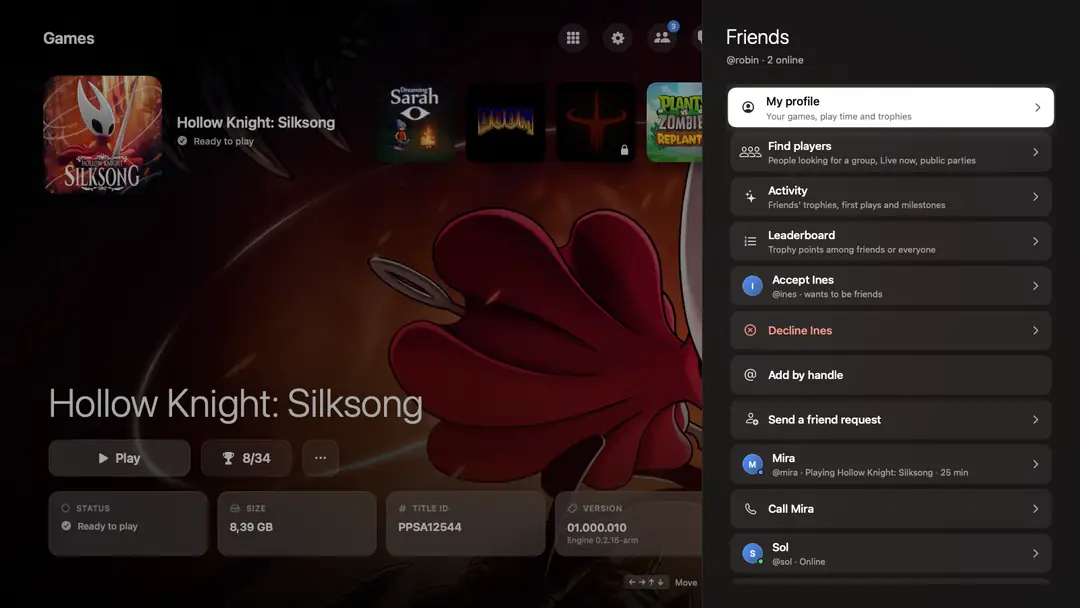
Friends 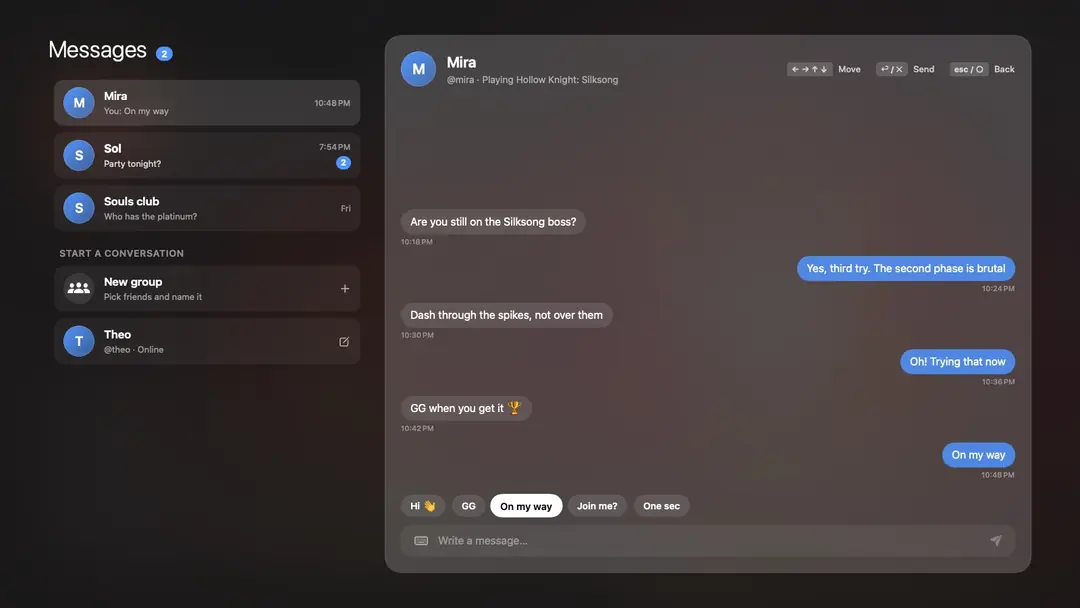
Messages 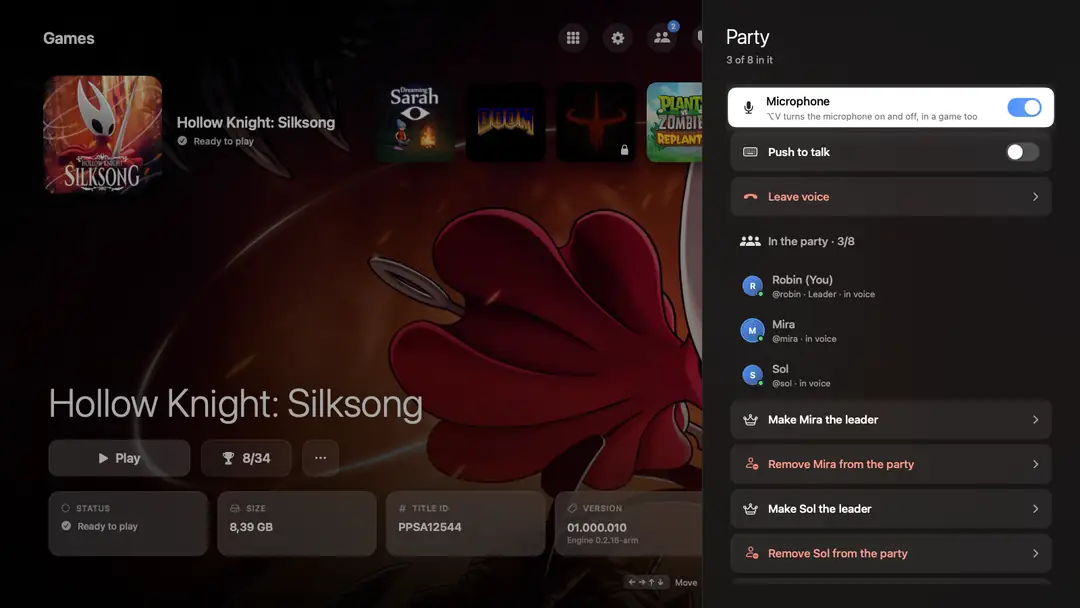
Party and voice 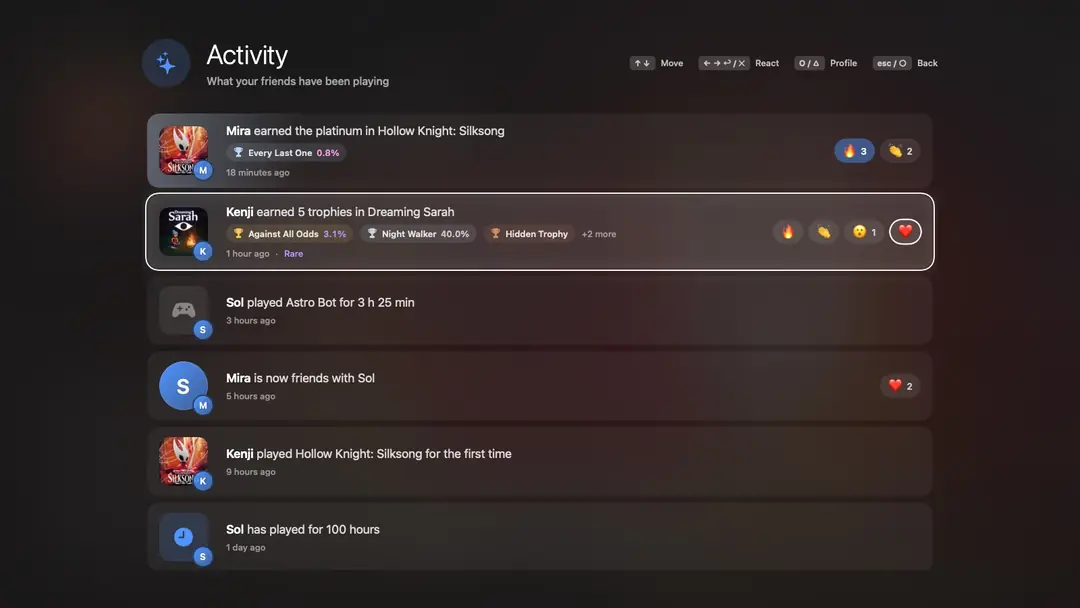
Activity 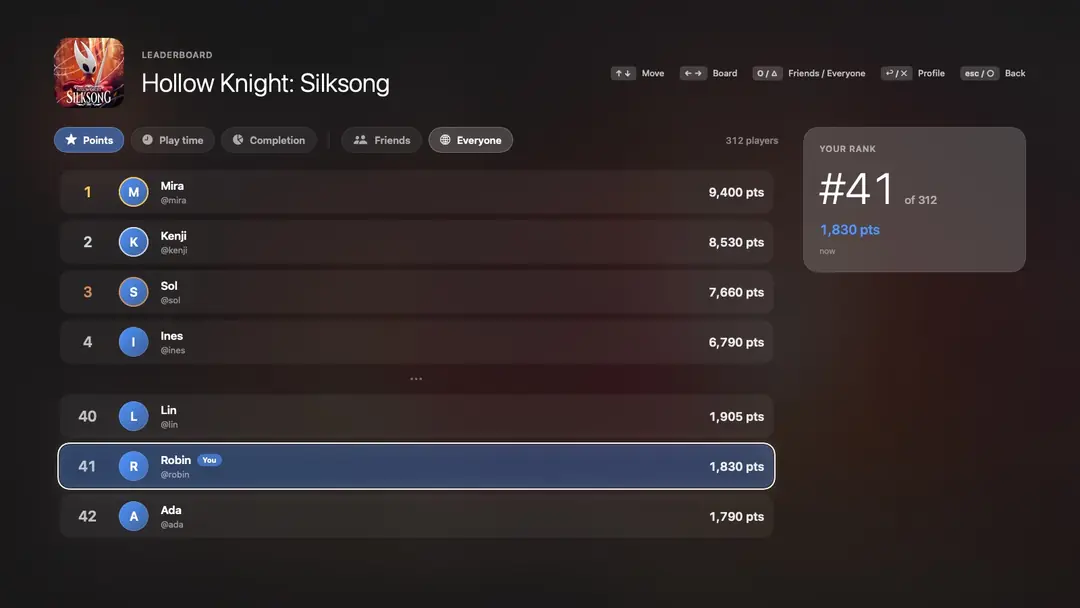
Leaderboard 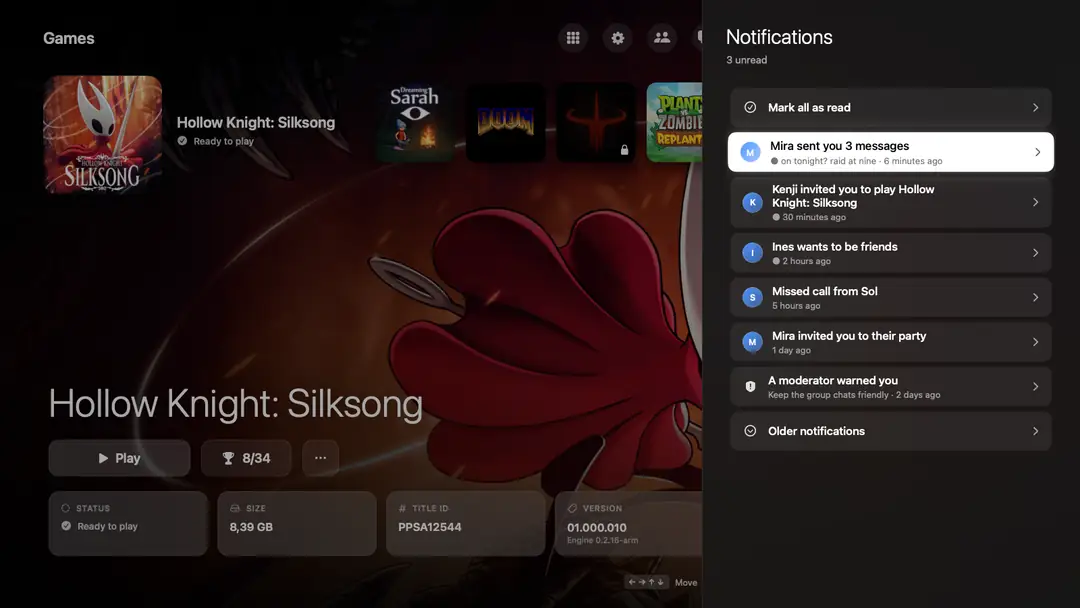
Notifications


The people, messages and numbers in these pictures are made up.
curl -fsSL https://github.com/utkuhalis/AnyPS5-ARM/releases/latest/download/install.sh | sh- Paste the Terminal line: it puts AnyPS5.app in Applications and installs Rosetta 2 if it is missing, with no “cannot be opened” warning.
- Or download the zip, unzip it and open the app; the first time, System Settings → Privacy & Security → Open Anyway.
- Pick a language, a theme and your games folder. Already installed? Settings → About → Update.
Requirements
- Mac
- Apple silicon (M1 or later)
- macOS
- 14 Sonoma or later
- Also
- Rosetta 2, and decrypted dumps of games you own
The rest of the family